🚀 50,000+ Chrome Users

Select Multiple Links
With a Simple Drag

Grabbit is a powerful Chrome Extension that transforms how you interact with links. Drag to select, then open tabs, copy URLs, create bookmarks, or use AI-powered product comparison and summarization.

50K+ Active Users
4.1★ Chrome Store
15+ Features
Grabbit Demo Animation

Everything You Need to Master Links

From simple drag-selection to advanced filtering, Grabbit gives you complete control over how you interact with links on any webpage.

Drag-Select Links

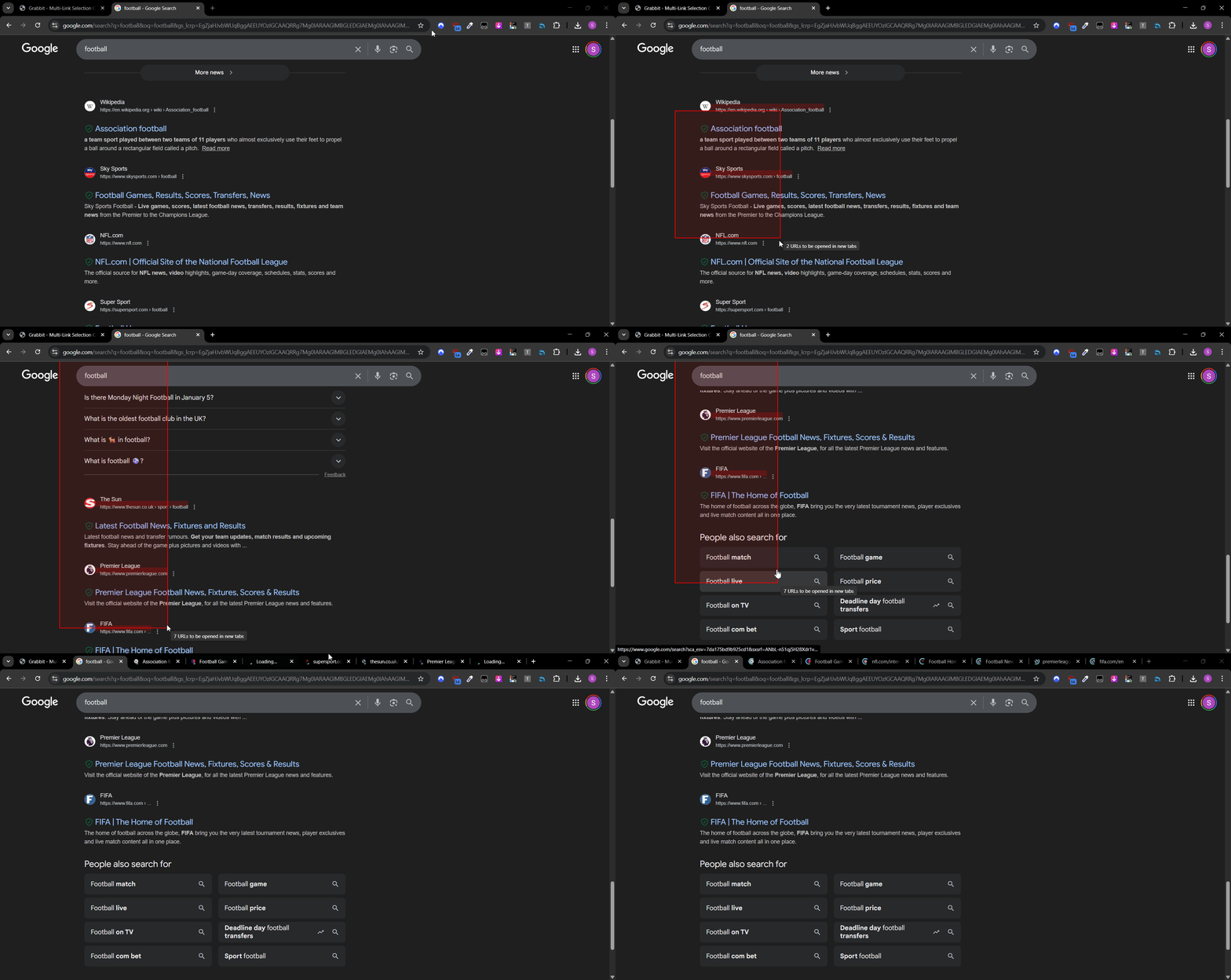
Draw a selection box over any webpage to instantly select multiple links. Works on any site with zero configuration needed.

Drag Selection Demo

Custom Actions

Configure any mouse button + keyboard combination (Ctrl, Shift, Alt, or A-Z keys) to trigger different actions.

Smart Selection

AI-powered pattern recognition automatically detects and selects consistent groups of links while ignoring clutter.

Open in Tabs

Open selected links in new tabs, new windows, or in reverse order. Configure delay between tabs to avoid overwhelming your browser.

Copy URLs

Copy selected URLs with titles in Markdown, JSON, or custom formats. Choose separators like comma, tab, or newline.

Create Bookmarks

Select multiple links and instantly save them as bookmarks in a folder named after the current page title.

AI-Powered Superpowers

Take your productivity to the next level with AI. Compare products, summarize articles, and get chapter breakdowns of YouTube videos.

PRO

Product Comparison

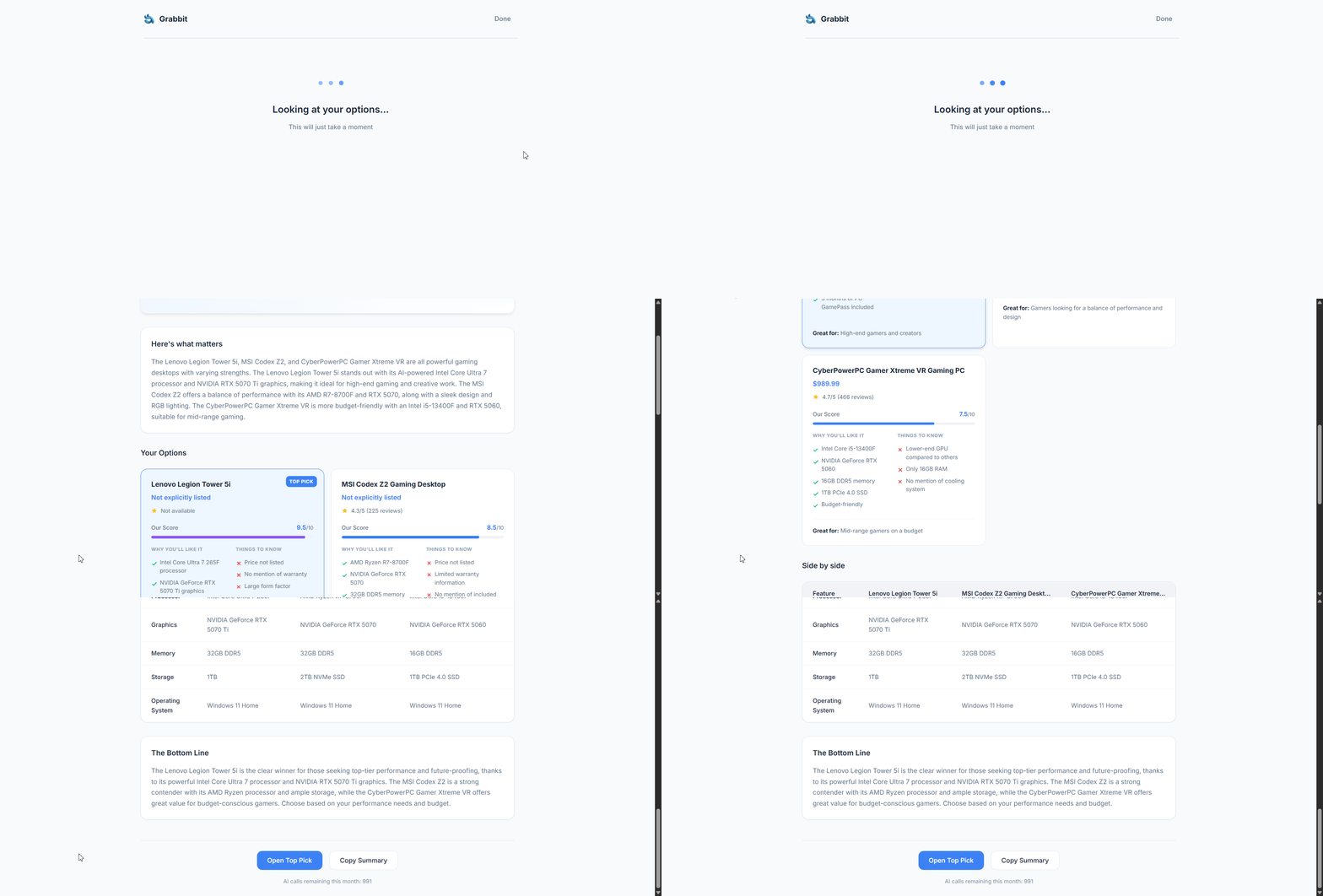
Select product tabs and get an AI-generated comparison table with a clear winner, pros/cons, and detailed feature breakdown.

AI Product Comparison Demo
  • Compare up to 5 products at once
  • Automatic price and spec extraction
  • Works on Amazon, eBay, and more
PRO

Article Summarization

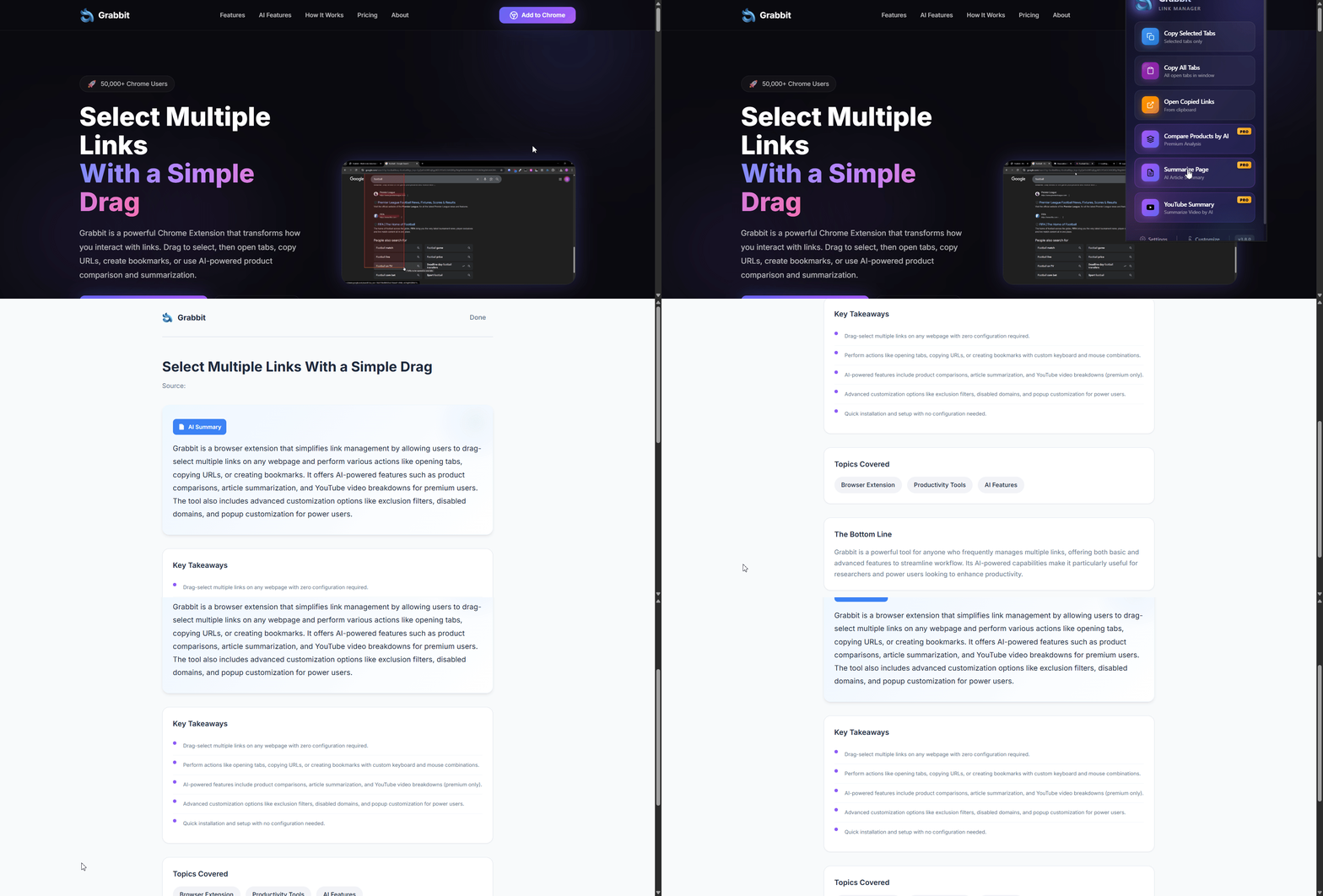
Get instant AI-generated summaries of any article with key takeaways, topic tags, and bottom line analysis.

Article Summarization Demo
  • Key takeaways at a glance
  • Automatic topic tagging
  • Bottom line conclusion
PRO

YouTube Summary

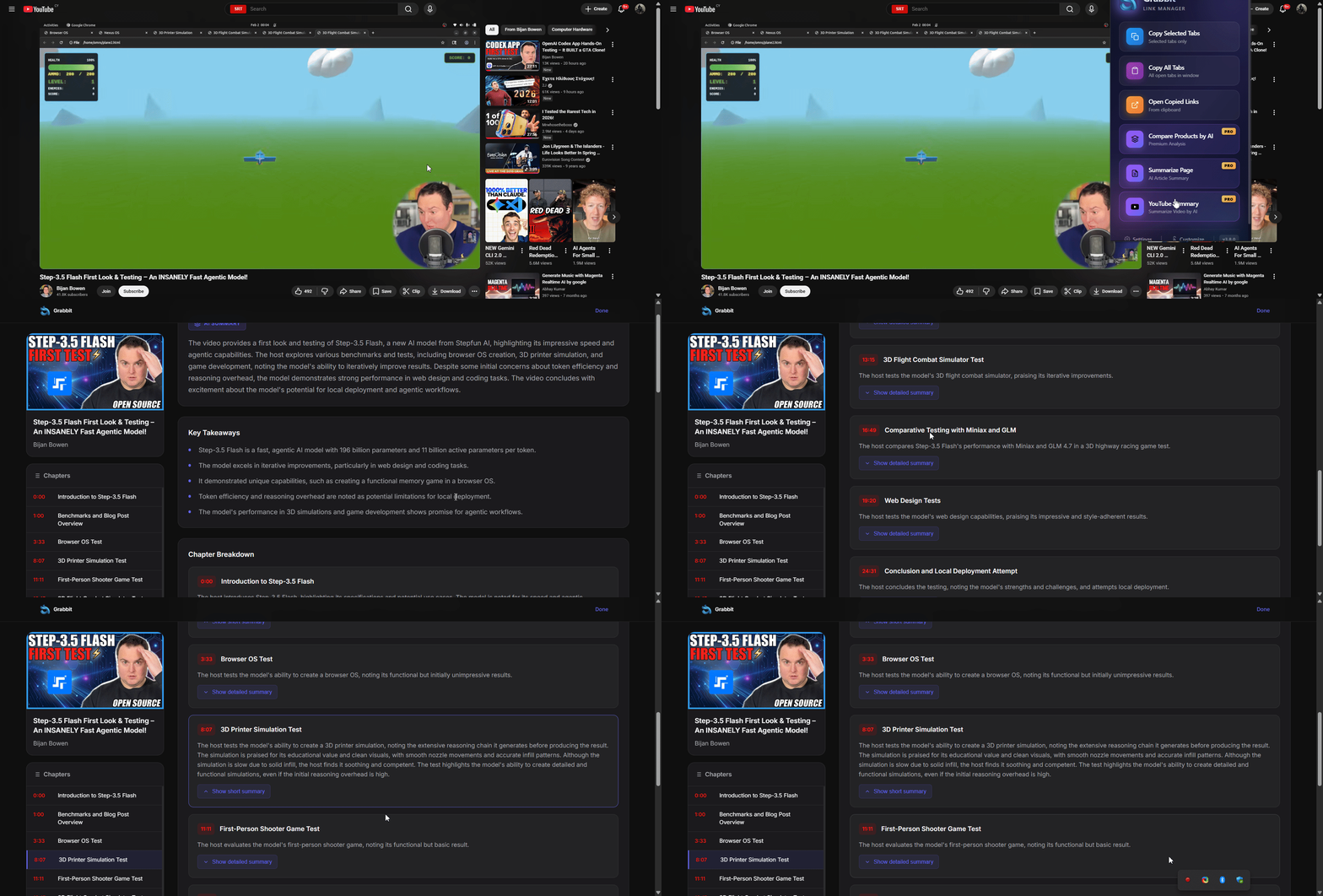
Get chapter-by-chapter breakdowns of YouTube videos with timestamps, key points, and detailed summaries for each section.

YouTube Video Summarization Demo
  • Automatic chapter detection
  • Clickable timestamps
  • Short + detailed summaries

Power User Toolkit

Linkify

Converts plain text URLs into clickable links. Includes aggressive mode for domain-only recognition.

Exclusion Filters

Set up keyword and regex patterns to automatically skip unwanted links during selection.

Disabled Domains

Blocklist specific domains where Grabbit should not activate. Shows "OFF" badge on disabled sites.

Visited Tracking

Persistent visited link styling that bypasses browser privacy restrictions.

Infinite Scroll

Automatically detects new links that appear during drag selection on infinite scroll pages.

Popup Customization

Drag-and-drop to reorder popup buttons and toggle which features appear in quick access.

How It Works

Get started in under a minute. No configuration required.

1

Install Extension

Add Grabbit to Chrome from the Chrome Web Store. One click and you're ready.

2

Hold & Drag

Hold your configured mouse button (default: Right + Shift) and drag to draw a selection box.

3

Take Action

Release to execute your action — open tabs, copy URLs, create bookmarks, or more.

Watch Demo Video 2 min overview

Install in Seconds

1

Click "Add to Chrome" button

2

Click "Add extension" in the popup

3

Pin Grabbit to your toolbar for easy access

Add to Chrome — Free
chrome://extensions
Grabbit
Grabbit v3.2.0

Simple, Fair Pricing

Core features are completely free. Upgrade to Premium for AI-powered superpowers.

Free

$0 forever
  • Drag-select multiple links
  • Custom keyboard shortcuts
  • Open in new tabs/windows
  • Copy URLs (multiple formats)
  • Create bookmarks
  • Smart Selection
  • Linkify plain text URLs
  • Exclusion filters & blocklist
Get Started Free

Premium

$6.99 /month
  • Everything in Free
  • AI Product Comparison
  • AI Article Summarization
  • AI YouTube Summary
  • 500 AI requests/month
  • Priority support
Upgrade to Premium

Meet the Creator

Sokratis Papasokratous

Sokratis Papasokratous

Software Developer & Creator

Grabbit started as a personal productivity tool and has grown into an extension used by 50,000+ people worldwide. Built with vanilla JavaScript for maximum performance and compatibility.

Contributors

Special thanks to everyone who contributed to making Grabbit better:

Ready to Transform Your Link Management?

Join 50,000+ users who save hours every week with Grabbit.

Add Grabbit to Chrome — It's Free